
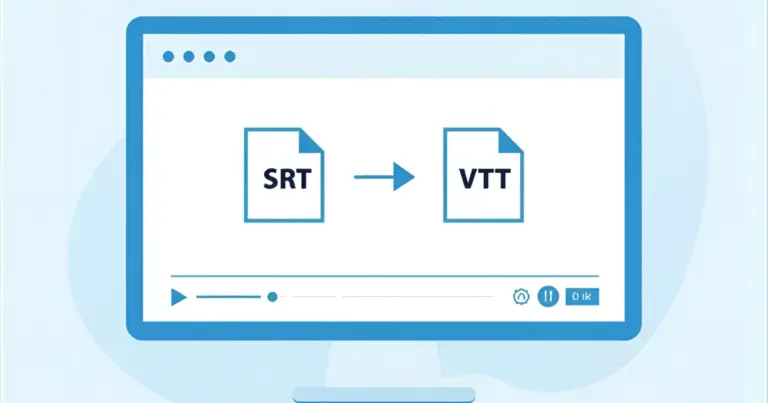
What Does the SRT to VTT Converter Do and Who Is It For
This SRT to VTT Converter instantly transforms SubRip (.srt) subtitle files into clean, standards-compliant WebVTT (.vtt) files. It is designed for creators, editors, developers, accessibility teams, and video professionals who work with YouTube captions, HTML5 video players, e-learning platforms, or online video workflows.
Whether you need to upload captions to a platform, fix timing, or prepare a WebVTT file for a website, this tool delivers fast and accurate results while keeping your data private inside your browser.
Understanding Subtitle Formats
What Is an SRT (SubRip) File
An SRT file is a simple subtitle format containing numbered cues, timestamps, and text. It is lightweight, widely supported, and compatible with most video editors. However, it does not support styling, metadata, or advanced formatting. Click here to learn more about SRT format.
What Is a VTT or WebVTT File
WebVTT (.vtt) is the modern subtitle format used by HTML5 video players, YouTube, streaming platforms, and LMS systems. It supports styling, positioning, metadata, and smooth rendering in browsers. Click here to learn more about WebVTT format.
Why Convert SRT to VTT Format
Web platforms and modern players require WebVTT for proper rendering, styling, and accessibility. Converting SRT to WebVTT ensures compatibility with HTML5 video, mobile apps, YouTube, and online learning platforms. It also enables advanced styling options like positioning and formatting.
How to Convert SRT to VTT Online (Quick Steps)
Upload or Paste Your SRT File
Start by pasting your subtitle text or uploading your .srt file into the input area.Click Convert to Generate a WebVTT File
The converter automatically rewrites timestamps and formatting to match WebVTT standards.Preview and Download the Converted VTT File
Review the output in the right panel and download your WebVTT subtitle file.
Key Features of Our Online SRT to VTT Converter
- Fast and free browser-based conversion – processed instantly with no uploads or server delays.
- Accurate timestamp and formatting conversion – precise millisecond formatting and proper WebVTT headers.
- Supports SRT and WebVTT formats – ensures compatibility with editors and HTML5 players.
- Offline and privacy-first – all processing stays inside your device for maximum security.
Example of SRT to VTT Conversion (Output Preview)
Before (SRT Sample)
1
00:00:02,000 –> 00:00:04,000
Hello there!
After (VTT Output)
WEBVTT
00:00:02.000 –> 00:00:04.000
Hello there!
When to Use SRT vs WebVTT
Use SRT when you need compatibility with older players and editing programs.
Use WebVTT for HTML5 video, YouTube, mobile platforms, streaming apps, and websites that require modern styling and metadata support.
Advanced Subtitle Editing Tools
Why Choose SubtitlesEdit.com for Subtitle Conversion
No Sign-Up or Upload Delays
All tools run instantly inside your browser without any uploads.
Accurate, Lightweight Conversion Engine
Every conversion uses the official WebVTT formatting rules for maximum compatibility.
Trusted by Editors, Translators, and Developers
Professionals worldwide use these tools for fast, reliable subtitle workflows.
Complete Suite of Free Subtitle Tools
Convert, merge, split, fix, or edit subtitle files — everything is optimized for speed and precision.
Frequently Asked Questions (FAQ)
How can I convert SRT to VTT online for free?
You can upload or paste your SRT file into the SRT to VTT converter, click “Convert,” and download your WebVTT file instantly. The entire process is free and runs in your browser.
Is this SRT to VTT converter safe and private?
Yes. All conversions are done locally in your browser, so your subtitle file never leaves your device.
Do I need to install any software to convert SRT to WebVTT?
No installation is required. Everything works directly in your browser without plugins or downloads.
Can I convert multiple SRT files to VTT at once?
You can do this by merging subtitles first using the Subtitle Merger tool and convert the merged file afterward.
What is the difference between SRT and WebVTT?
SRT uses commas for milliseconds and offers basic formatting. WebVTT uses dots, supports styling, metadata, and is required by HTML5 video players.
Why do some video platforms require VTT instead of SRT?
WebVTT follows the HTML5 standard and supports better formatting and browser compatibility, making it the preferred choice for modern players.
Can I convert VTT back to SRT?
Yes, you can use the VTT to SRT Converter tool to reverse the format conversion.
Does this converter keep all subtitle text exactly the same?
Yes. Only the formatting and timestamps change. Your subtitle text remains untouched.
Does the converter fix timing errors automatically?
The SRT to VTT Converter only adjusts timestamps to VTT format. To fix timing delays, use the Subtitle Time Shifter tool.
Are WebVTT files compatible with YouTube?
Yes. YouTube accepts both SRT and VTT, but VTT offers better styling and browser compatibility.
Will this converter work offline?
Yes. Once the page has loaded, the tool works fully offline because it processes everything in your browser.
Can I convert subtitles created in Adobe Premiere or DaVinci Resolve?
Yes, as long as they are exported as SRT files. The converter will transform them into WebVTT correctly.
Why does my VTT file need a “WEBVTT” header?
This header is required by the WebVTT specification and ensures compatibility with HTML5 players.
Can this tool convert SRT captions to VTT for websites?
Yes. Web developers commonly use this converter to prepare VTT files for video players, streaming pages, and e-learning platforms.
What should I do if the converted VTT does not load in my player
Make sure the file extension is .vtt and check that your video player supports WebVTT.
Does this tool support emojis, Unicode, and non-English subtitles?
Yes. All Unicode characters are fully supported.
Can I convert SubRip subtitles from different languages?
Absolutely. As long as the file is in SRT format, the converter will handle any language.
What other subtitle tools does SubtitlesEdit.com offer?
You can merge subtitles, split subtitles, fix overlapping cues, shift timing, and edit subtitle format type using the full suite of tools available on the site.