
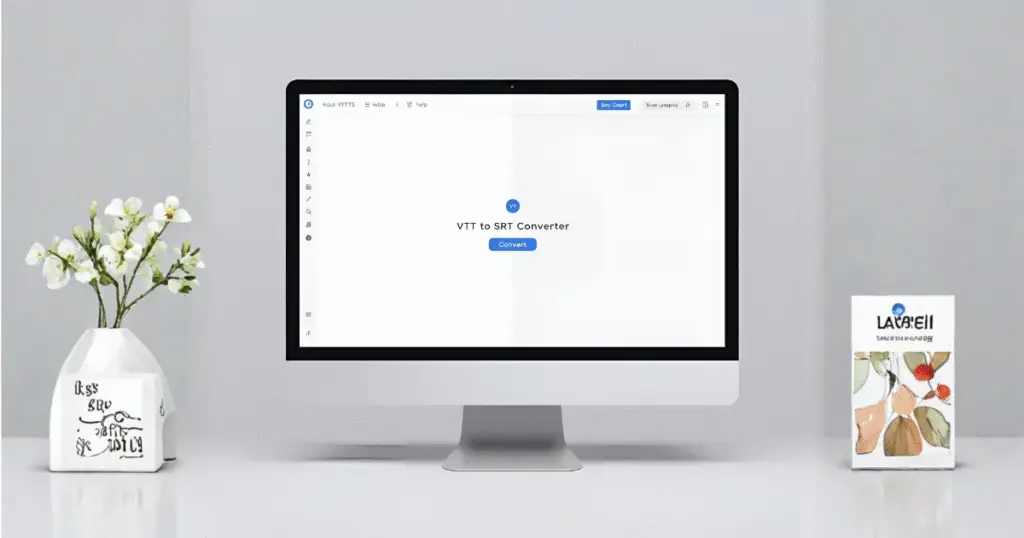
What This VTT to SRT Converter Does
This tool converts standard VTT subtitles into clean, compatible SRT subtitle files that work with YouTube, video editors, media players, and captioning platforms. Whether you’re working with WebVTT to SRT, cleaning captions, or preparing subtitles for export, this converter handles it in seconds.
With support for VTT captions, timestamps, cue blocks, and formatting rules, it replaces bulky desktop apps and confusing editors. If you’ve been searching for a clean, simple vtt converter, srt converter, or a way to convert to srt, this page does exactly that — instantly and fully offline.
Convert your WebVTT (.vtt) subtitles to SRT (.srt) instantly with this fast, private, browser-based tool. No uploads, no servers, and no data leaves your device. Just paste your VTT captions, click convert, and download a clean, properly formatted SRT file.
WebVTT to SRT converter is ideal for creators, video editors, developers, and anyone who needs a quick vtt to srt converter, a subtitles converter online, or a reliable way to convert VTT to SRT offline.
Why Convert WebVTT (.vtt) to SubRip (.srt)?
When SRT Is Required
Many platforms still require the classic SRT format for importing subtitles. Video editors, streaming platforms, older media players, and certain LMS systems prefer SRT because of its simplicity. If you’re uploading captions somewhere and the VTT file doesn’t work, converting to SRT is usually the solution.
Compatibility Differences: VTT vs SRT
VTT supports styling, positioning, and Web-friendly metadata. Click here to learn more about WebVTT format.
SRT is simpler and widely supported but strips extra formatting. Click here to learn more about SRT format.
This tool helps you switch formats without breaking timing, cue numbers, or readability — perfect when dealing with vtt vs srt, or converting subtitles from modern tools to older workflows.
Common Use Cases for YouTube, HTML5, and Video Editors
Creators commonly convert VTT to SRT after exporting YouTube captions, transcribing audio, or receiving VTT files from online editors. SRT works in:
Premiere Pro
Final Cut Pro
DaVinci Resolve
VLC
OBS
Most HTML5 players
If your goal is to convert subtitles online, format subtitles, or prepare files for any editor, this tool makes it effortless.
How to Convert VTT to SRT (Step-by-Step Guide)
Uploading or Pasting VTT Captions
Paste your VTT file into the left input box of VTT to SRT converter, or upload a .vtt file. The tool instantly reads your WebVTT structure, timestamps, and cues.
Instantly Converting VTT to SRT Offline
Click “Convert” and your vtt to srt convert process happens entirely in your browser. No servers. No file uploads. This makes the tool perfect for private projects or sensitive content.
Downloading and Editing Your SRT File
Once converted, download the SRT file instantly.
Need edits? Pair this tool with our other subtitle editor tools to adjust timing, merging, splitting or fixing overlaps.
Key Features of Our VTT to SRT Converter
100% Offline Browser Conversion
Because everything runs in JavaScript, you can convert VTT to SRT offline without limits or data concerns.
Accurate Timing + Clean Formatting
The converter fixes cue numbers, aligns timestamps, removes WebVTT styling, and ensures SubRip compatibility.
Works With All VTT Subtitles & Captions
Supports:
YouTube VTT
Auto-generated captions
Web editors
Custom VTT from transcription tools
It also works as a simple vtt file converter, subtitle converter, and online subtitle converter.
Related Subtitle Tools
These tools help you convert subtitles online, clean timing, and prepare files for any platform.
Why Choose SubtitlesEdit.com for Conversions?
Fast, Private, Offline Processing
No uploads, no waits, no privacy concerns.
No Tracking or Hidden Processing
Nothing is stored or sent anywhere — everything happens in your browser.
Built for Creators, Editors, and Developers
Simple enough for beginners, but accurate enough for professional workflows.
SubtitlesEdit.com provides the reliability you expect from tools like editsub, srtedit, and webvtt editor, but in a minimal, ad-free environment.
Frequently Asked Questions (FAQ)
What is the fastest way to convert VTT to SRT?
The fastest method is to paste or upload your .vtt file into the converter, click “Convert,” and download the .srt output. Everything happens instantly in your browser.
Can I convert VTT to SRT completely offline?
Yes. VTT to SRT converter runs entirely in your browser using JavaScript, so your subtitle file never leaves your device. Once the page loads, the conversion is fully offline.
Does this tool support all types of WebVTT files?
Yes. WebVTT to SRT converter supports standard WebVTT files from YouTube, HTML5 video players, captioning software, and most online subtitle editors.
Why does my VTT file lose styling when converted to SRT?
SRT is a simple subtitle format and does not support styling, colors, positioning, or CSS. Styling is removed to ensure the SRT file works everywhere.
Which platforms require SRT instead of VTT?
Many video editors, older media players, and certain streaming or LMS platforms require SRT subtitles. If your VTT file isn’t accepted, converting it to SRT usually fixes the issue.
Can I edit the SRT file after conversion?
Yes. You can edit the SRT file in any text editor or use tools in our Subtitle Editor suite like Time Shifter, or Overlap Fixer for more advanced edits.
What’s the difference between VTT and SRT?
VTT supports styling, metadata, and web-based features.
SRT contains only timestamps and text, making it more universally compatible but less flexible.
Why does my VTT file fail to convert?
The file might be corrupted, incorrectly formatted, missing the WebVTT header, or contain unsupported metadata. Try re-exporting or cleaning the file.
How do I fix overlapping subtitles after conversion?
Use a subtitle overlap fixer or time shifter tool to adjust timestamps and remove conflicts between cue timings.
Does this tool work with captions exported from YouTube or HTML5 videos?
Yes. YouTube VTT files and most HTML5 WebVTT captions convert cleanly to SRT using this tool.
How accurate is the VTT to SRT conversion?
The conversion is highly accurate because it preserves original timestamps and text. It simply restructures your subtitles into SRT format without altering content.
Can I convert SUB, SBV, TXT, or other file types to SRT?
Not directly. This tool focuses on WebVTT (.vtt) files. Other formats need to be converted to VTT or SRT using their respective tools before editing.
How do I create a VTT file if I only have SRT?
Use an SRT to VTT converter. It will convert your SubRip timestamps into WebVTT format with the correct headers.
Is this an online converter or an offline tool?
You access it online, but all processing happens offline on your device. No uploads or servers are involved.
Are there any limits on subtitle file size?
There’s no server limit since files aren’t uploaded. However, extremely large files may slow down your browser depending on your device.
How should I format my VTT file before converting?
Ensure the file starts with “WEBVTT,” uses valid timestamps, and does not include unsupported HTML or non-standard metadata.
Should I use VTT or SRT for my project?
Use VTT for web-based playback (HTML5).
Use SRT for maximum compatibility across video editors, players, and platforms.
Why doesn’t SRT support styling or positions?
SRT is an older, simple format that was designed only for timecodes and plain text. It does not include styling fields.
Is SubtitlesEdit.com safe for client or professional projects?
Yes. All conversions happen locally on your device, making it safe for confidential or professional subtitle work.